Workflows & runs
Author a repeatable process of stages, widgets and roles, publish it, then run it with your team.
A workflow turns a one-off analysis into a repeatable process. The screen's own definition: "Recipes that downstream users follow when running a model: stages, widgets, role assignments, hand-off gates." Publish one, and anyone with access can start a run.
Open Workflows from the left rail.
The workflow library


A scope toggle switches between All workflows and This model. Which one you land on follows how you entered the library, not whether a model happens to be open.
Each row shows a tier chip (Personal or Org), a Published chip once published, a lock
chip (Locked by you / Locked by <user>) whose tooltip carries the lock reason, the
workflow name, and its revision as rev NN. Every workflow carries a revision, published or not.
The meta line reads attached to <model> · N stages · N widgets · N assigned (N roles) · Updated
<date>.
The row's actions:
| Action | Notes |
|---|---|
| Publish workflow | Only while unpublished. |
| Lock workflow / Unlock / Force-release | Locking asks for a reason so whoever finds it locked knows why. Force-release this lock? warns that "The holder loses the seat without warning." |
| Promote to Organizational / Demote to Personal | Confirms with Switch tier to <tier>? |
| Delete | Asks Delete workflow "<name>"? and states This cannot be undone. |
| Start run | Disabled until the workflow is published — the tooltip says "Publish the workflow first". |
| Edit | Opens the author. |
Every action except Edit is disabled while the workflow is locked. An owner can take the lock; so can an org admin or a model promoter. Promoting and demoting are limited to those same two roles.
New workflow asks for the Attached model, a Name and an optional Description, then Create + edit drops you into the author.
Authoring a workflow
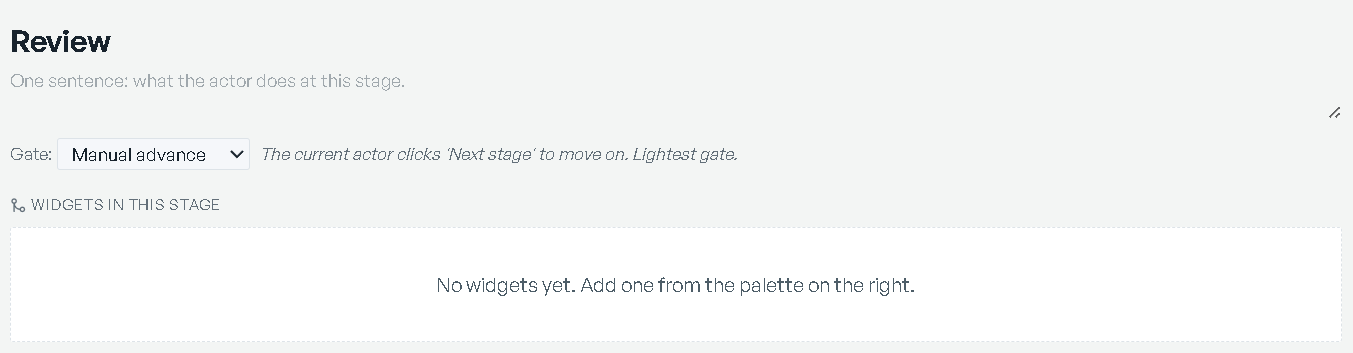
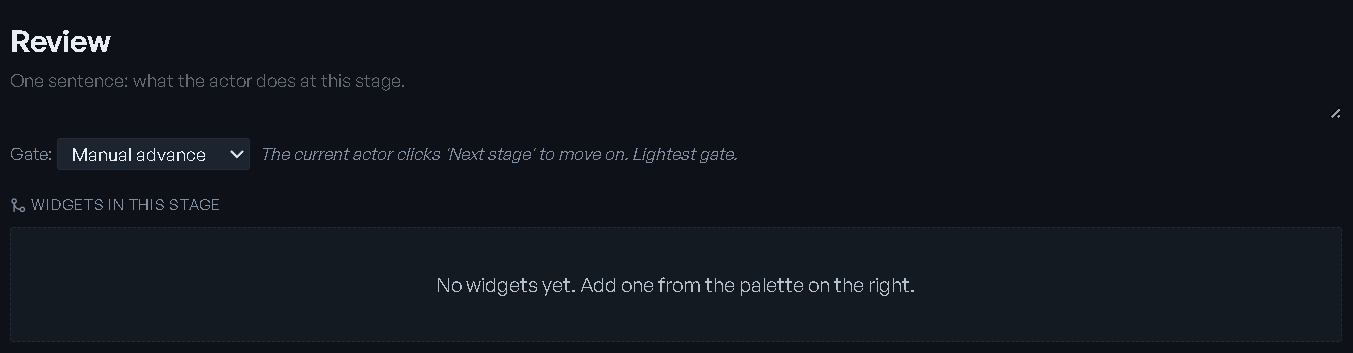
The author has three columns: the workflow and its stages on the left, the active stage in the middle, the widget palette on the right.
Stages
Stages lists the stages in order, each with its widget count. Add appends one. Hovering a row reveals Move up, Move down and Remove stage — removing asks Remove this stage and its widgets?
Select a stage to compose it. Give it a Stage name and a Stage description — the placeholder sets the bar: "One sentence: what the actor does at this stage." Widgets in this stage holds the tiles the person running that stage will see; per tile you get Move up, Move down and Remove widget. Move up and Move down swap tiles in reading order and carry their geometry, which makes them the keyboard route to rearranging a stage.
Gates
A Gate: select decides how the run leaves that stage. There are two, and the selected one's behavior is printed beside it:
| Gate | Behavior |
|---|---|
| Manual advance | "The current actor clicks 'Next stage' to move on. Lightest gate." |
| Approval required | "A user with the approver role must sign off before the next stage opens." |
New stages start on Manual advance.
Roles
Roles shows the role set and who holds it — up to three names per role, then a count. It is a display, not an editor:
| Role | What it grants |
|---|---|
| Contributor | Can run scenarios and update widget state. |
| Approver | Signs off at gate stages. |
| Viewer | Reads dashboards; cannot mutate. |
People land in those roles two ways: accepting a RIA proposal (below), and the per-stage Stage owner picker on a run.
RIA drafts
Propose with RIA opens Propose workflow with RIA, which reads the model's structure and the workflow's assigned roles and proposes a whole stage structure. Your current stages stay untouched until you accept.
Pick a Cadence first:
| Cadence | What it plans |
|---|---|
| Weekly cycle | 4 stages: Review demand → Plan → Sign-off → Distribute, with an approval gate on Sign-off. |
| Monthly cycle | 5 stages: Review actuals → Demand → Plan → Sign-off → Distribute. |
| Ad-hoc / triggered | 3 stages: quick triage when something urgent fires. |
Role assignment shows who the workflow's permissions currently name. Then Generate proposal returns a Why these stages rationale, a Proposed team, and Proposed stages (N) — each with its description, an Approval gate chip where one applies, a widget chip list, and an Assigned to picker carrying RIA's reason for the pick. Re-propose tries again; Accept proposal takes it.
Accepting a proposal writes the proposed contributors, approvers and viewers onto the workflow's permissions straight away — that part is not a draft. The stages themselves arrive unsaved.
Refine with RIA opens Refine workflow with RIA and applies one described edit to the existing stages, keeping stage ids stable so active runs continue cleanly. Its own samples show the range:
- "Add a data quality stage before Sign-off, with a validation checklist widget."
- "Drop the supply chain map from Distribute and add a sentiment dial instead."
- "Add an approval gate to the Distribute stage so it requires sign-off too."
You get a What RIA changed card and Revised stages (N) with each stage's gate and widget count before Apply edit.
The widget palette
The right column is the same catalog as a workspace's Add widget — 65 widgets in five categories — with no search box. Click a widget to add it to the active stage; it takes the first free slot rather than re-flowing what you arranged by hand. The catalog is listed in Workspaces.
Publishing
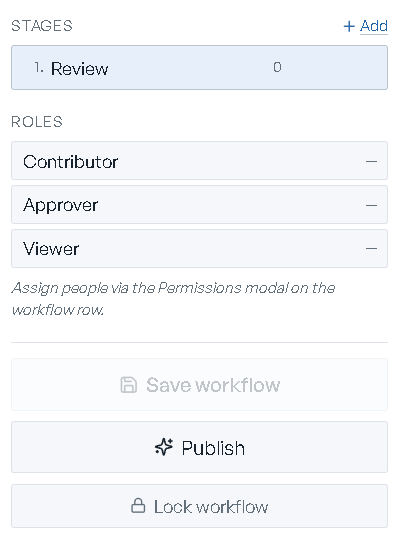
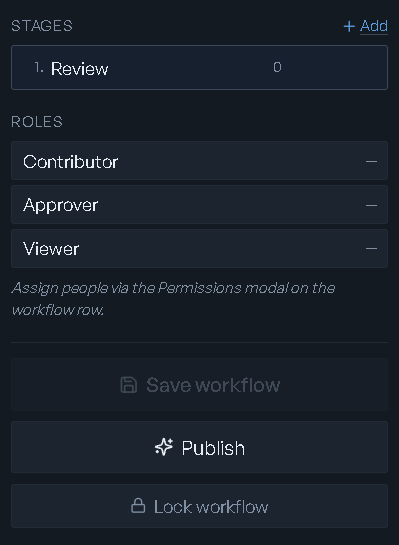
Save workflow commits your edits. Publish (or Re-publish, once it has been published before) makes it startable; it is disabled with zero stages, and while the workflow is locked. Publishing with unsaved edits prompts You have unsaved changes. / "Save them and publish?" — confirm with Save and publish.
Lock workflow parks it against edits — yours and everyone else's — until Unlock. A locked workflow is read-only in the author: you cannot drag, resize or save.
Running a workflow
Start run on a published workflow opens the run screen. Its header names the workflow, reads Run on <model> · started <date> by <user>, and carries a status pill: In progress, Completed or Cancelled.
The stage ribbon
The ribbon runs across the header, one chip per stage in order: a number, a check once the stage is done, a dot on the current stage, the stage name, an assignee chip reading You or the person's initials, and a padlock on an approval-gated stage. Stages still ahead are dimmed. Click a chip to focus that stage.
Under it, an Assignments strip counts what is N assigned to you and N with teammates, each stage a chip that jumps focus to it.
Scenario context
A Scenario context bar binds what the stage's widgets show: an Active: scenario, an X to clear it, and a Compare: chip set with Add and Pick top 3 by objective. Scenarios this run spawned are marked (this run). When a stage is focused the bar reads and writes that stage's context, so each stage can pin its own scenario.
Driving the run
The stage body shows the stage name, its description, a chip naming its gate, and its widgets. Widgets you can interact with only bind while you are on the current stage; viewing an earlier one prints "Viewing an earlier stage — switch to the current stage to interact."
| Control | What it does |
|---|---|
| Stage owner | Reassigns the stage to any active user, or to — unassigned —. The chip tints when the owner is you. |
| Open analysis | Creates a workspace bound to this run and stage, named <workflow> — <stage> analysis, carrying the stage's active and compare scenarios. |
| Approve this stage | Signs off an approval-gated stage. Only an approver on the workflow, a holder of the approver role on the run, or an org admin sees it. Once signed off, an Approved by <user> chip stands in its place. |
| Advance | Moves to the next stage. Disabled while an approval is outstanding, with the tooltip Approval required before advancing; also disabled when you are viewing an earlier stage or the run is closed. |
| Complete run | Closes the run out, on the last stage. |
Workspaces already bound to this run and stage are listed as Analyses on this stage (N) — click one to reopen it instead of spinning up another.
Presenting works here too: the toggle titled Present this stage full screen fills the screen
with the stage and drops the side panel; Esc leaves.
RIA Review and Discussion
The right aside has two tabs. RIA Review is the one you land on; Discussion is second. Collapse the whole aside to a rail with Collapse RIA review.
RIA Review is read-only and never solves. It reads the stage's bound scenario and returns a verdict banner — a headline, the scenario name, and counts of N blockers / N to check / N insights — over two sections, Your data and This scenario, each with a severity dot and a count. Every card carries a headline, a detail, and a line naming where the finding came from and how sure RIA is: certain, likely or worth a look. Click a card to reveal its actions, which open the matching analysis or the scenarios screen. Re-check refreshes it.
Without a bound scenario it says so and points you at the picker bar. Per-scenario evidence lives on Scenarios; the model-level record is on Validation and trust.
Discussion holds the run's paper trail: Scenarios spawned, an Approvals list reading <stage> by <user>, and the comment threads. Each comment shows its author, its timestamp and the stage it was made on; the composer is scoped to the focused stage (Comment on "<stage>"…) and needs one picked. If a post fails, the message stays in the box: "Couldn't post that. Your message is still here — try again."
A completed or cancelled run is read-only throughout: interactive widgets stop binding, the comment box disables, and the review panel marks itself read-only.
Where runs surface
Active runs show up on Home:
- Inbox — needs you carries an Approval needed card per stage waiting on you, naming <workflow> → <stage> and its model, with Review & approve to open the run. The same inbox also carries AI-agent requests, which are a different thing — see RIA console.
- Active processes lists your runs as <workflow> on <model> with a stage-progress bar, a gate marker when the current stage needs approval, and comment and scenario counts. See all returns you to Workflows.
- The hero names the Active cycle with Resume cycle to jump back in, a Stage N of M tracker, the current stage name and its gate, and a Waiting on approval chip when one is outstanding.