RIA Console
The assistant sidebar: one conversation across the product, gated changes, and attachments.
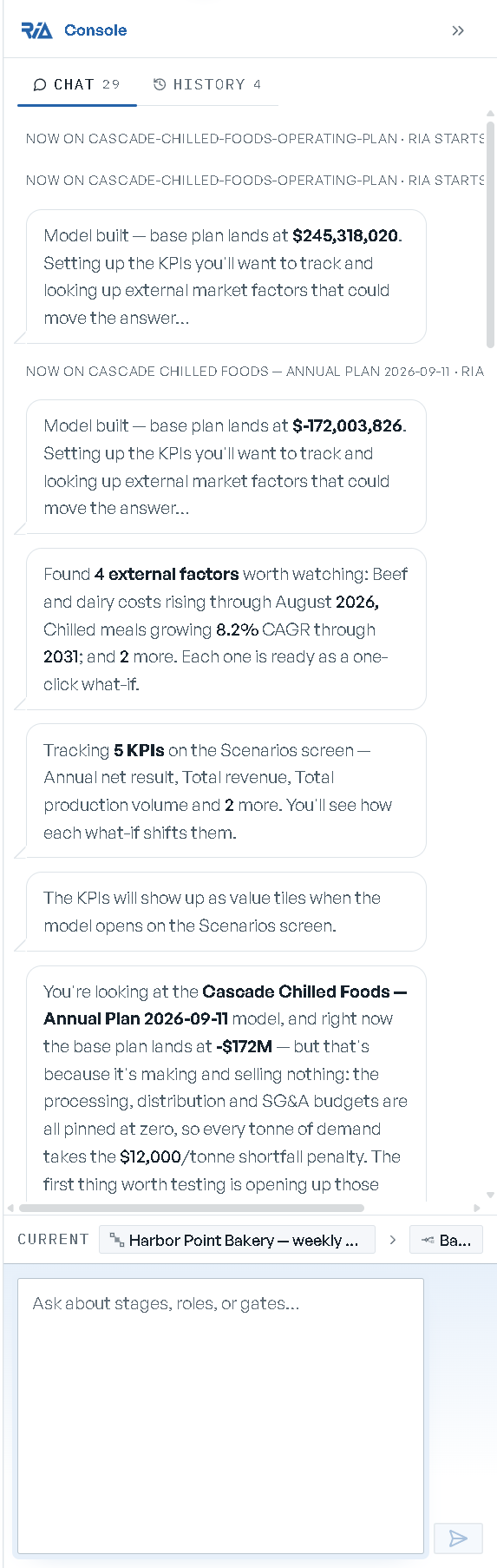
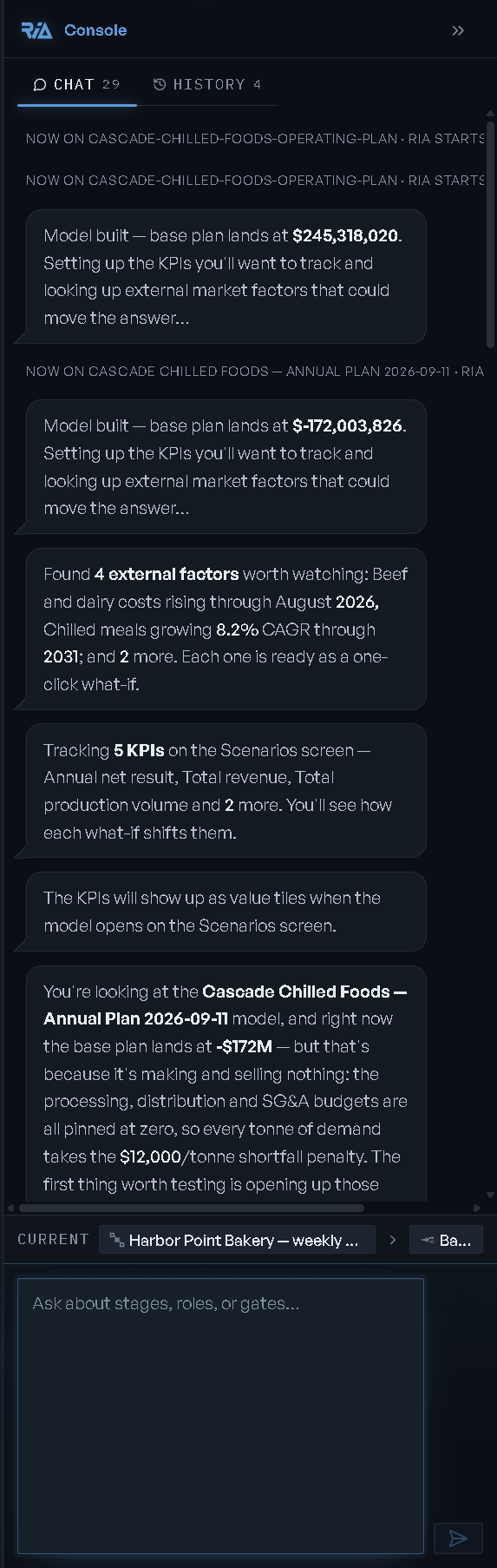
The RIA Console is the panel down the right of the screen. It has two tabs — Chat and History — and it is where you ask RIA for anything: a what-if, a change to the model, a workspace, an explanation of a number.
Opening and sizing it
Collapsed, the console is a narrow strip labelled RIA Console down the right edge — click it (Open RIA chat) to open it, and the chevron in its header (Collapse RIA chat) to put it back. A dot on the strip means RIA left something for you while it was closed.
Drag the pane's left edge to resize it (Resize RIA console); double-click the edge to return to the default width. The console is on every screen except a workspace in fullscreen, which hides the whole frame.
One conversation, per context
The console is one continuous conversation as you move around the product. The one boundary that
matters is the model: switching to a different model starts RIA fresh there, marked in the
transcript as "now on <model> · RIA starts fresh here", and coming back to a model you have
talked about reads "continuing your conversation about <model>".
Above the composer, a Current label shows what RIA is working on as a Model › Scenario
breadcrumb. It is a label, not a control — it follows the screen you are on.
History lists your past conversations, each scoped to a model, a run, or a screen, with a message count and a preview; click one to jump back into it. The conversation you are in is not listed. Clear on a row removes that thread from the list, and asks first.
During a workflow run the console also shows a read-only Workflow / Stage card, so you can see what RIA's answers are anchored to.
When RIA reports on work it was already doing — its own suggestions for a model, say — rather than answering you, that line appears as a quieter note with a dashed outline, placed above the question you are waiting on. Your answer follows your question.
The composer
Enter sends; Shift+Enter starts a new line. The placeholder tells you what the console is ready for on this screen:
| Screen | Placeholder |
|---|---|
| Scenarios | "Type a what-if, e.g. 'What if oven time doubles?'" |
| Model overview | "Ask about this model…" |
| Home | "Ask about your plan, scenarios, or what needs you…" |
| Model Library | "Ask which model to open, or find one by tag…" |
| Datasets | "Ask about your imported data…" |
| A workspace | "Compare, diagnose, or summarize these scenarios…" |
| A workflow run | "Ask about this run: diagnose, compare, or summarize for sign-off…" |
| Authoring, before a model exists | "Describe your business: products, prices, capacities, demand." |
On the Scenarios screen a band above the box reads "Each message becomes a new what-if scenario" and the send button reads Create scenario — every message you send there becomes a scenario rather than a reply. If what you type reads as the description of a new model, RIA routes it to a build instead of attaching a what-if to whatever model is open.
On a fresh thread a Suggested row of chips sits above the box. Clicking one puts its text in the composer for you to edit — nothing is sent until you send it. The chips go once the conversation is under way.
Attachments
Drag a file onto the composer to attach it. There are two paths, and they behave differently:
| Attach | Formats | Cap | What happens |
|---|---|---|---|
| A data file | csv, tsv, txt, md, json, tab | 1,000 KB | Read in the browser and included in the text of the message you send |
| A design document | pdf, docx | 10 MB | Uploaded and parsed, then kept on the session and used on every turn — not pasted into the message |
An attached data file shows its name, size and line count, with an X to remove it. An attached document shows its format and character count, an X that drops it from the session, and a Build model button — "Build a model directly from this doc (bypasses the consultative chat)." You can send a document with the text box empty.
A spreadsheet is not an attachment: "Excel parsing isn't wired yet: paste the rows as text, or save the sheet as CSV." To bring a workbook into a model, import it as a dataset instead.
Changes are gated
RIA never applies a change silently. Anything that would mutate a model, a scenario, a workflow or a version arrives as a Plan confirm card: the title, a one-line summary, and RIA's reasoning where it has some.
Read the diff
Open the change list — Show <n> change(s) or Show preview. Its columns are Field,
From, To. Hide diff closes it again.
Run it
Click Run plan. It reads Running… until the change lands.
Or don't
Edit reopens the request and Cancel drops it. Both appear only where the change supports them.
Nothing happens until you click Run plan.
A change to the model's structure comes back with proof attached rather than just a plan — the before-and-after objective, whether the result is feasible, and the field-level diff. See Changing a model.
One proposal at a time
Proposals RIA makes from the conversation — a what-if,
a model edit, a workspace layout, a
change order — wait between the conversation and the
composer until you decide them. Only one is shown at a time. When more are queued, a line under the
card counts them: "+{n} more proposals waiting — decide or hide this one to see the next".
Every card has an X in its corner (Hide this card). On a what-if, a model edit or a workspace layout it drops the proposal, the same as its own Discard or Dismiss. On a change order it only hides the card — the change order stays filed on the model's backlog.
When RIA can't drive
RIA drives most of the product, and says so where it cannot. On the Route Optimizer the console opens with "I can't drive this tool yet, but I can answer about your models and scenarios while you work." On the Site Planner it can place sites, geocode addresses and explain a design.